

The latest version of Smartstore 6 revolutionizes image editing for store operators. Thanks to the seamless integration of the Pixlr online editor directly in the media manager, extensive image editing can now be carried out without external software. In this article, we will show you how to set up and make the most of this powerful function.
Simple setup in just a few steps
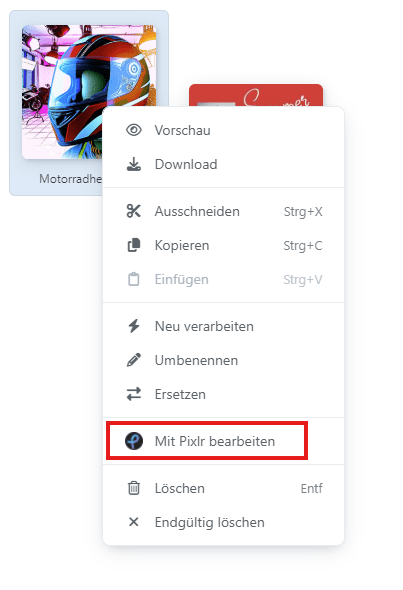
The integration of the Pixlr Editor starts with a free registration with Pixlr. After logging in, you will find the necessary API keys in your profile under the "Developer" tab. These two keys are the key to the connection between Pixlr and your Smartstore online store.
Configuration in Smartstore itself is also straightforward:
-
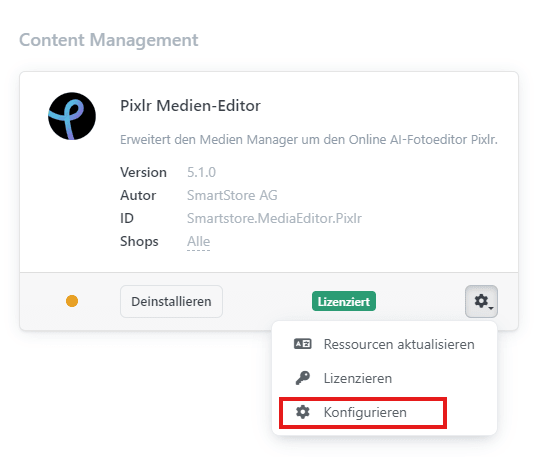
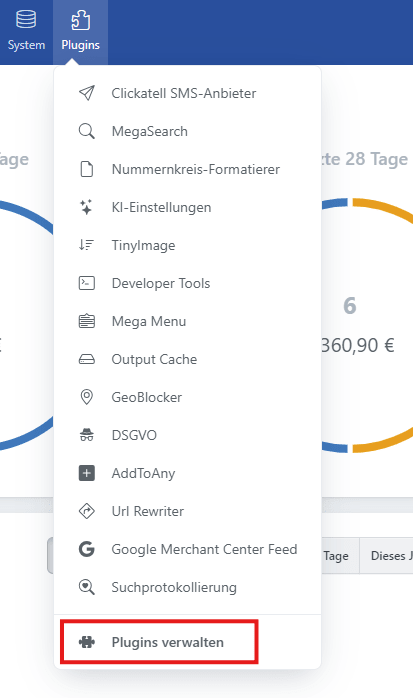
Navigate to the plugin configuration
-
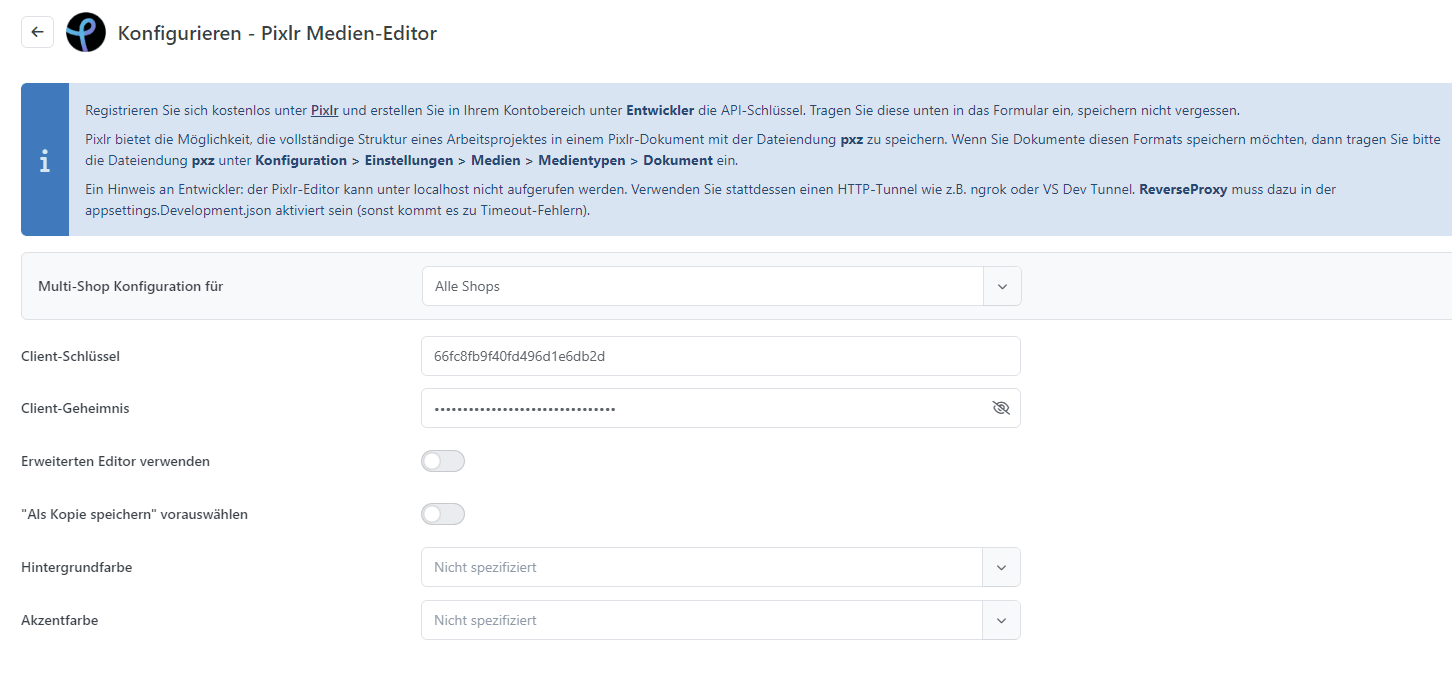
Paste the two API keys into the corresponding fields
-
Choose between standard and advanced editor
-
Specify whether edited images should replace the original files or be saved as new files
Powerful functions in the standard editor
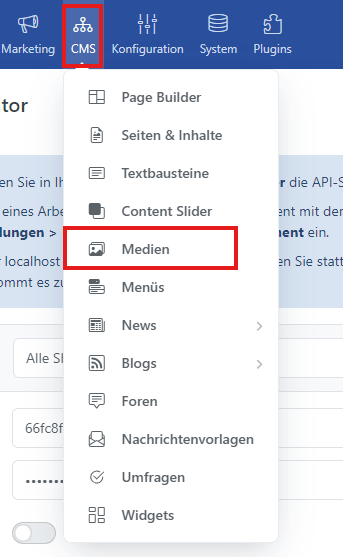
Even the free version, which uses the Pixlr Express Editor, provides you with extensive editing options. One of the most outstanding new features is the ability to crop images - a function that was sorely lacking in the previous Smartstore Media Manager.
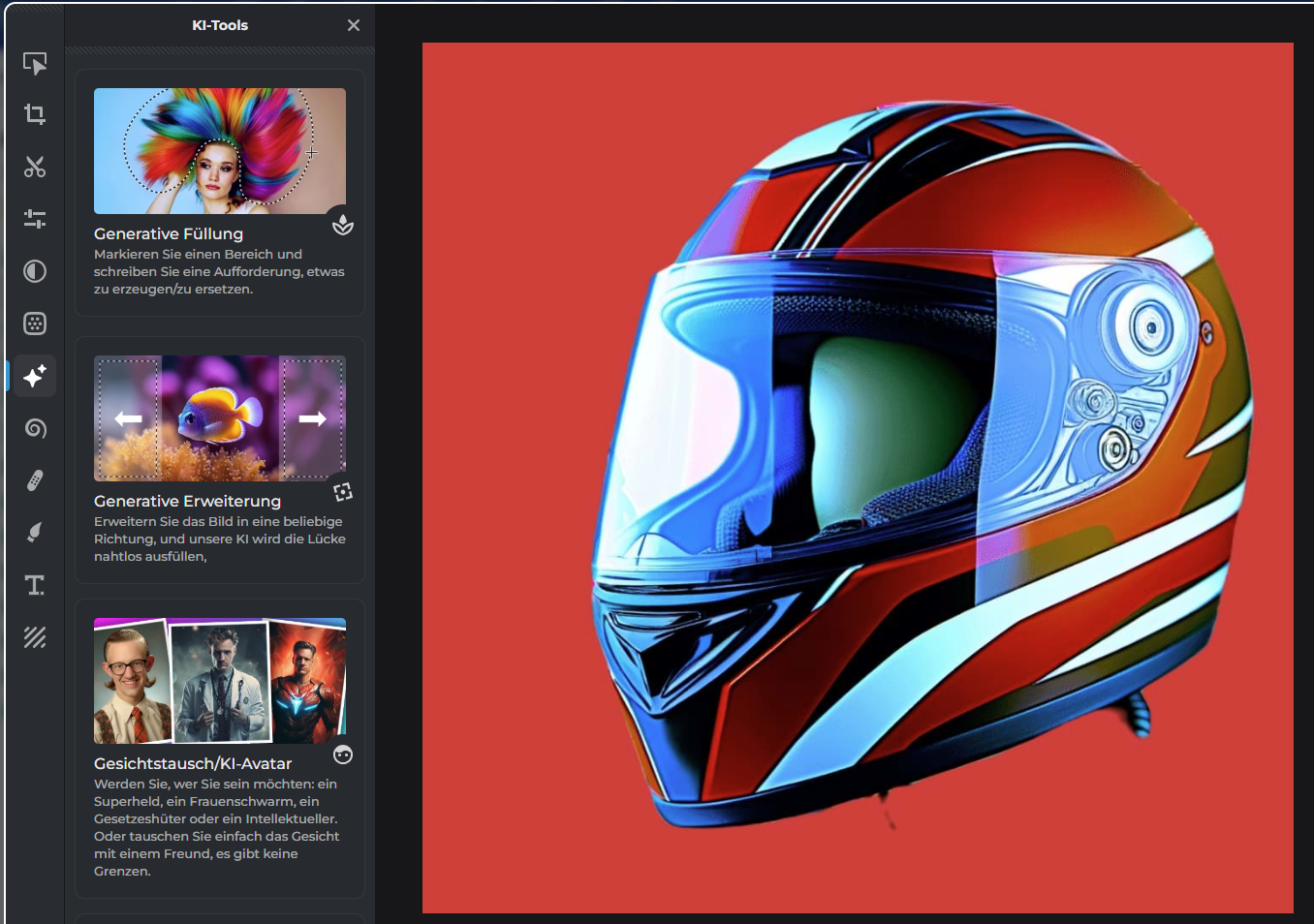
These tools go beyond basic image editing—they include a variety of filters, creative effects, and a built-in text tool with a solid library of graphic elements. With precise positioning and smart layer editing, you can create detailed, professional-looking graphics.
They’re useful for all kinds of things: cropping product images, making marketing banners, designing slider images with custom text, improving category visuals, and creating social media graphics that fit your audience.
You can place edited images anywhere in your store—content sliders grab attention, widget zones highlight key messages, and product galleries look more polished and professional. If you want to step up your visual game, this tool is a must.
Price models and expansion options
While the basic functions are already available in the free version, Pixlr offers various premium options for advanced requirements:
Free version:
- Basic image editing functions
- Limited number of saves
- Access to standard design elements
Premium version:
- Unlimited saves
- Extended library of design elements
- Additional editing functions
- AI-supported functions
Team licenses:
- Ideal for larger stores with multiple employees
- Shared use of resources
- Central administration
An important aspect of using the Pixlr Editor is the legal situation. The service is operated by Pixlr Pte Limited, based in Singapore. You should pay particular attention to the license terms of the design elements used. Check the rights of use of the available elements, document the licensing of the materials used and pay particular attention to the rights declaration in the case of commercial use.
Conclusion and outlook
The integration of the Pixlr editor in Smartstore 6 is a significant step towards simplifying image editing within your online store. It enables store operators to carry out professional image editing directly in the system without having to rely on external programs. With the various price models, every store operator will find a suitable solution for their specific requirements.
The combination of simple operation, extensive functions and flexible application options makes the Pixlr integration a valuable tool for professional store design. With regular updates and enhancements, we can look forward to seeing what additional options will be added in the future.
If you have any further questions about image processing with Pixlr in Smartstore or would like to make an appointment for a live demo, please do not hesitate to contact us. You can reach us via the contact form, by e-mail at info@smartstore.com or by phone from Monday to Friday between 10 a.m. and 4 p.m. at +4923153350.
Contact:
E-mail: info@smartstore.com
Phone: +4923153350
SmartStore AG
Kaiserstraße 63-65
44135 Dortmund