

The latest version, Smartstore 5.1, is packed with exciting new features and improvements focusing on themes, infrastructure, front-end, back-end and bug fixes. Whether you're a store owner, developer or e-commerce enthusiast, Smartstore has something for everyone.
Themes
Button styling
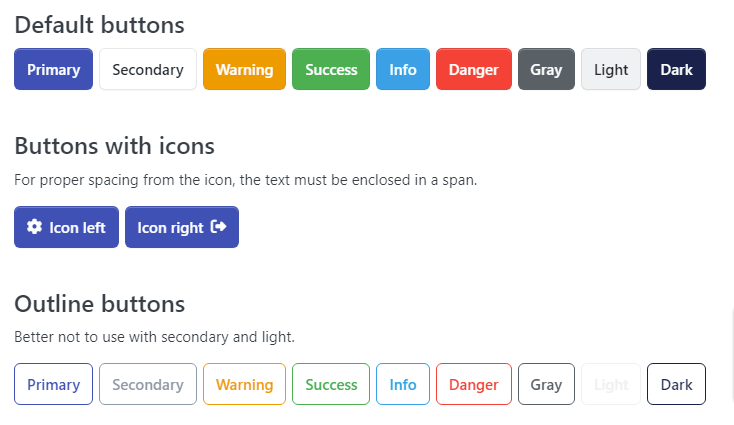
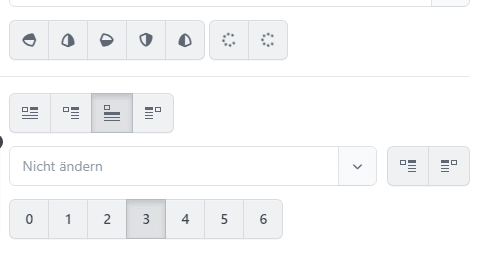
Revised styling for buttons, dropdowns and Select2 components. Smartstore 5.1 gives your Smartstore store a fresh look and feel. The new button styling gives your store a modern touch, making it more visually appealing and improving the overall user experience. The revamped dropdown and Select2 styling ensures a consistent and seamless user interface across your store, creating a cohesive and professional look and feel.
Buttons
Dropdowns, Select2 & Co.
Badges
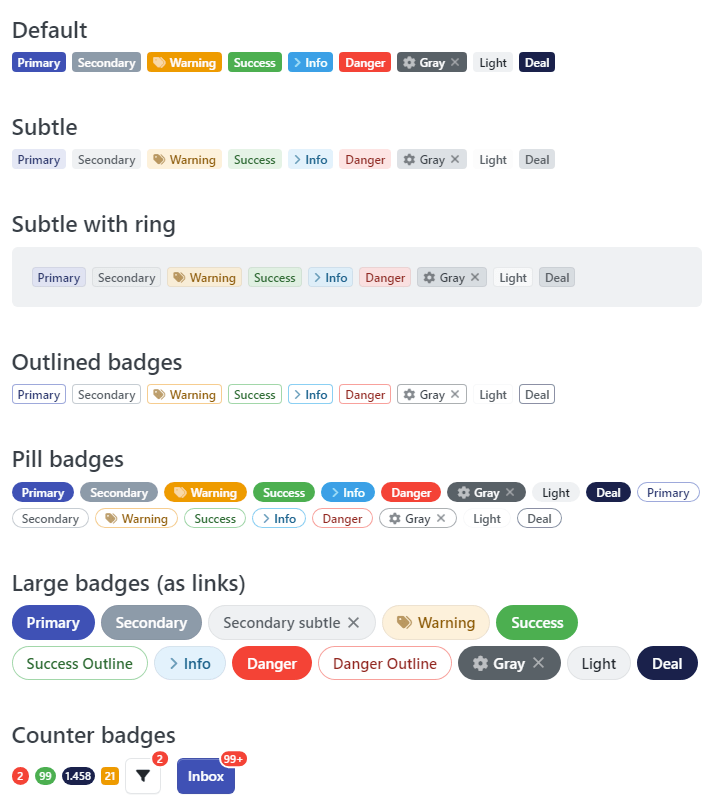
The latest updates in the badge area bring with them many new variants and modifiers. These include .badge-subtle, .badge-outline-*, .badge-ring and .badge-counter. These variants offer an expanded range of badge design options to suit different requirements and design preferences. A particular highlight are the discount badges, which identify special offers such as "Deal", "Limited offer" or "Black Friday". They enable the online store to visually highlight special promotions and discounts and draw customers' attention to attractive offers. The introduction of these new badges and modifiers significantly increases flexibility in the visual presentation of products and offers in the online store.
Front end
Increased control with the shopping cart quantity input control
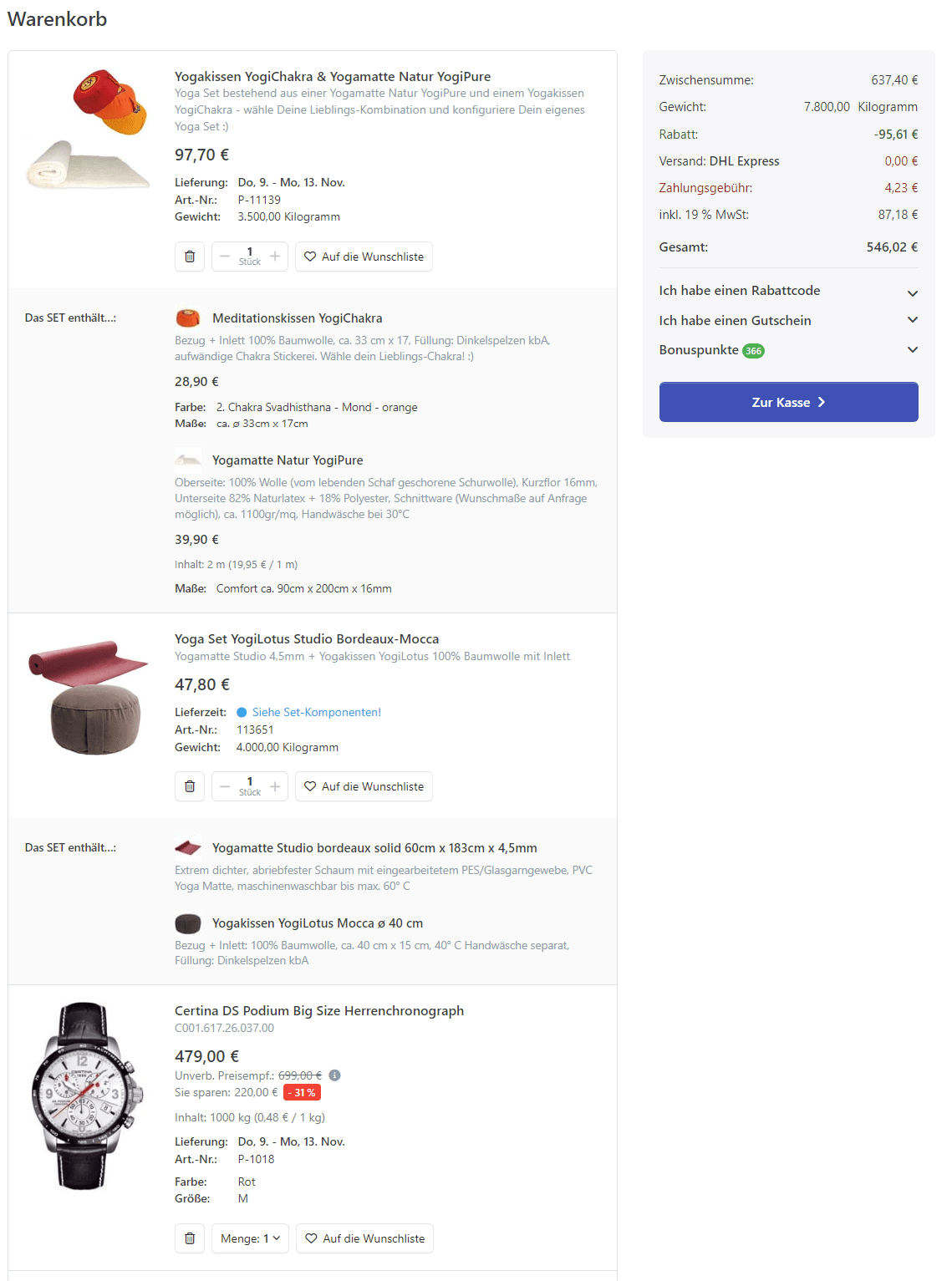
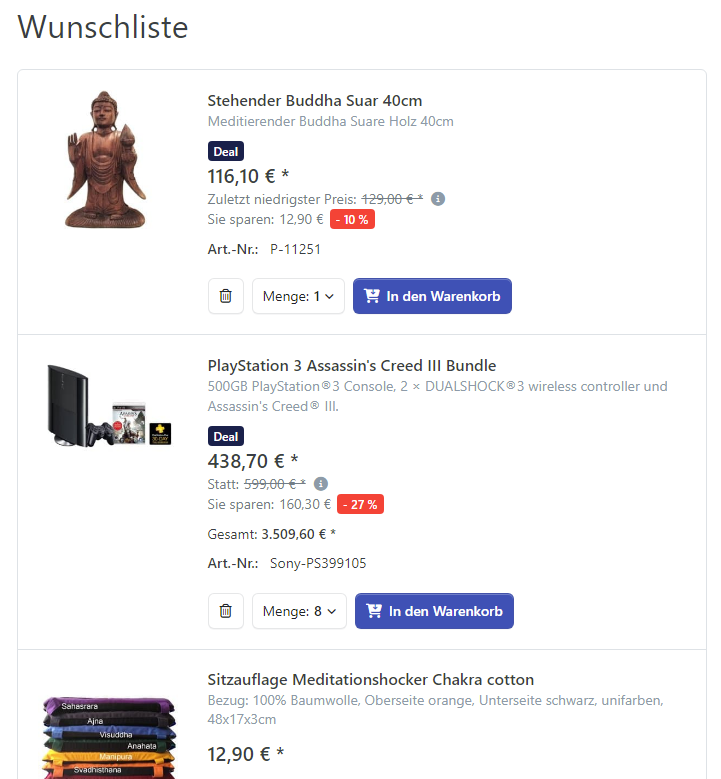
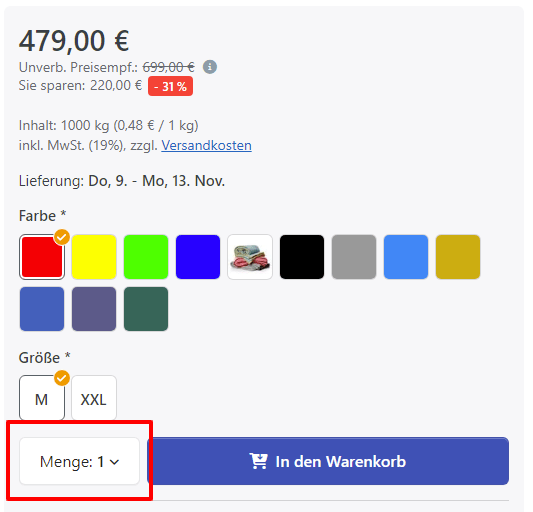
In version 5.1, Smartstore addresses the issue of stock management by introducing a shopping cart quantity entry control that respects the available stock of a product. This feature ensures that customers cannot add more items to their cart than are currently in stock to prevent overselling and potential customer dissatisfaction. By setting the maximum input to the product's available stock, accurate stock levels can be maintained and a seamless shopping experience for your customers can be ensured.
Control and display product listing corrections
The bug fixes resolve issues related to the display of tax information and references to price inquiries in product listings. With these fixes, you can ensure that tax information is displayed correctly or hidden when needed and that price inquiry notices are visible to customers browsing your product listings.
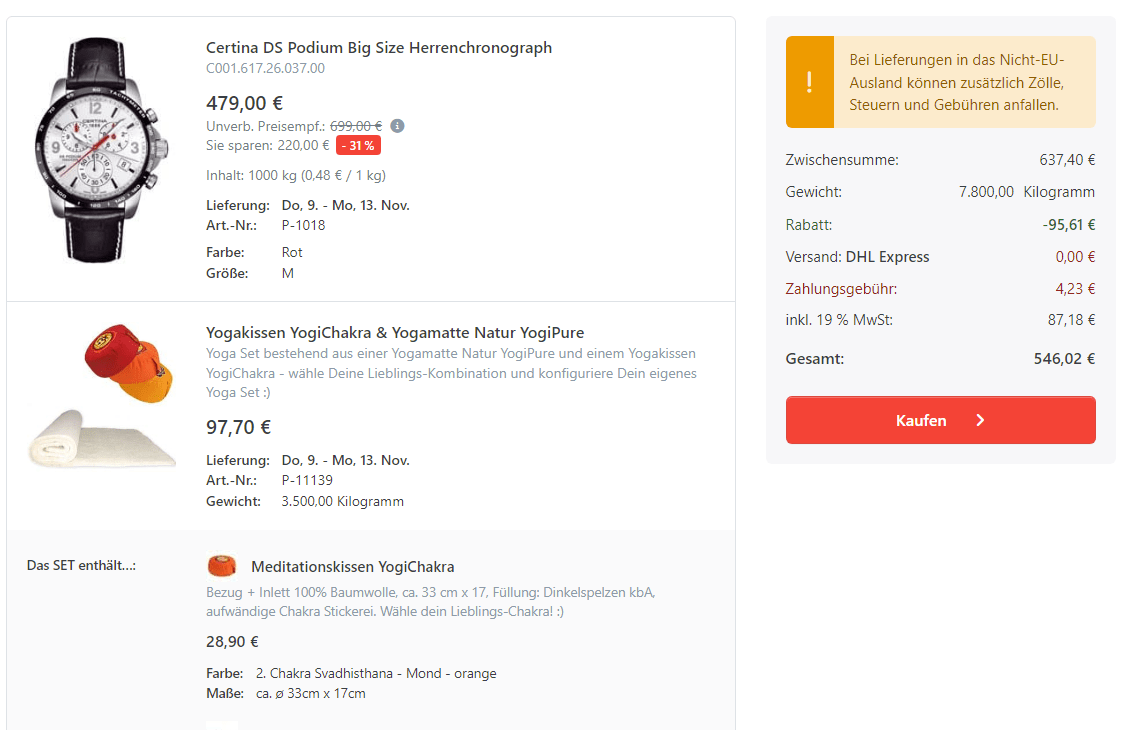
Faster loading of product categories
The problem of slow loading in online stores with an extensive range of product categories has been effectively addressed. This latest version introduces optimizations in the loading process of product categories that significantly improve performance in both price calculations and product exports. This optimization results in a more efficient and accelerated loading experience and ensures that your online store maintains seamless responsiveness, especially when dealing with a significant number of product categories. With this improvement, Smartstore 5.1 enables you to provide an improved and faster shopping experience, even in scenarios with complex product categorization.
Improved Mega Search
The Mega Search functionality in Smartstore has undergone significant improvements, including new features and the resolution of existing issues. Notable improvements include the introduction of hit counts for availability filters, intelligent masking of filters that do not return additional hits, and the inclusion of re-availability notifications. These improvements contribute to increased accuracy and relevance of search results, ensuring that customers can easily find the products they are looking for. With these advances, the 5.1 release improves the search experience and enables users to have a more accurate and efficient product discovery process.
Paginator
Product list action bar
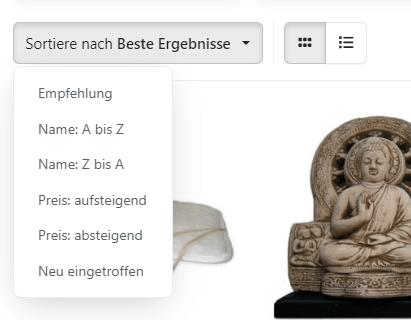
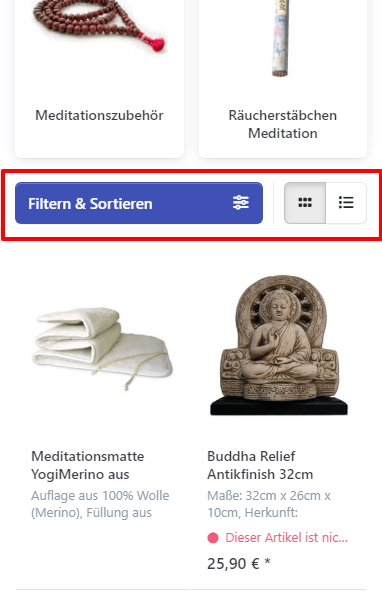
Smartstore 5.1 gives your product listing pages a fresh and modern look with redesigned action bar styling. The new styling improves the visibility and accessibility of sorting options, view modes and pagination. With the improved action bar, customers can easily navigate and customize their product listing view, improving their overall shopping experience.

Improved SEO with canonical URLs
Improving your store's search engine optimization (SEO) is crucial for increasing organic traffic and improving visibility. To help you do this, Smartstore introduces canonical URLs for search pages. By adding canonical URLs, you can eliminate duplicate content issues and ensure that search engines understand which page is the preferred version. This improvement boosts your SEO efforts, leads to higher rankings and increases organic traffic to your online store.
Footer
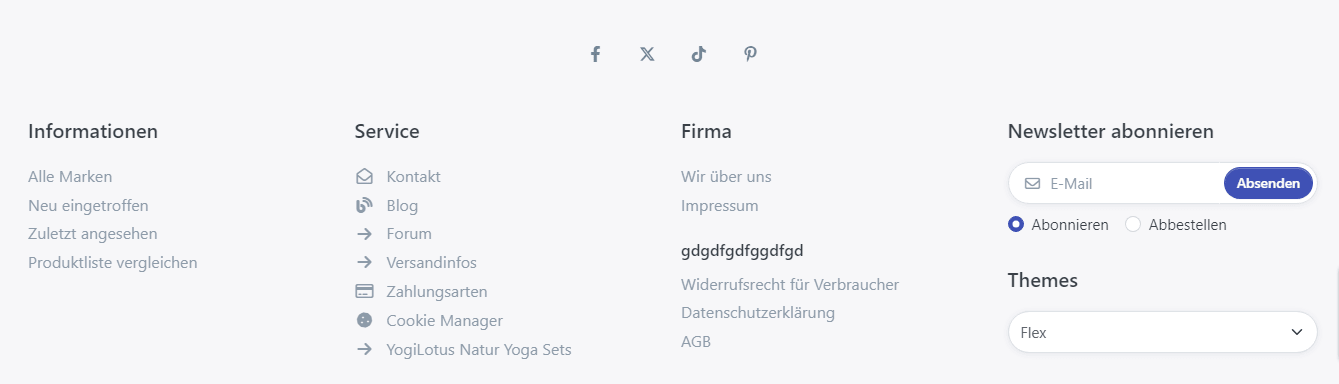
We have also added settings for more social links (Flickr, LinkedIn, Xing, TikTok, Snapchat, Vimeo, Tumblr, Ello, Behance) to be displayed in the footer of your Smartstore store. The integration of links to social media in the footer of an online store offers numerous advantages for the company's presence and customer loyalty. By linking to various social networks such as Facebook, Instagram, Twitter and other platforms, the online store gains an extended reach and can address potential customers on various channels. In addition, links to social media enable direct interaction with customers, as they can share, like and comment on the store more easily. This not only increases the visibility of the online store, but also builds an active online community. Customers can share news, offers and products, which in turn strengthens interaction and brand loyalty. The integration of social media in the footer should therefore not be underestimated as a marketing tool.
Facets on mobile devices
The activation of the .spa layout only for screen heights above 600 pixels ensures better usability of the DataGrid in landscape format on mobile devices. This contributes to an optimized display and operation of the webshop on different screen sizes. In particular, the backend usage on small mobile devices, especially in conjunction with the DataGrid, has been optimized for a better user experience. In addition, a new user agent parser has been implemented, enabling significantly improved detection of bots, mobile devices and tablets. Although platform and device detection can be less accurate, this update helps to optimize the overall mobile user experience and ensure that the webshop works smoothly on different devices.
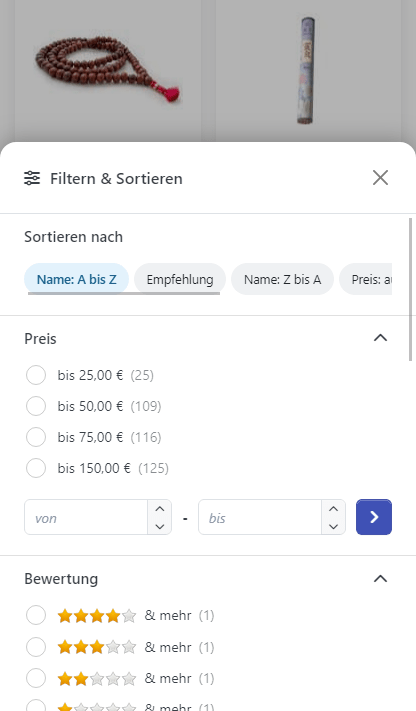
Offcanvas
For screens smaller than the center breakpoint (md), the offcanvas window for the product filters has been redesigned. It is now displayed from the bottom and offers not only filter options, but also sorting options for the products. This redesign significantly improves usability on smaller screens, as users can now access the filter and sorting functions conveniently and intuitively. In addition, the offcanvas main menu has been redesigned to provide a more contemporary and engaging navigation experience. These optimizations help to improve the overall experience on different screen sizes and ensure that users can navigate through the online store effortlessly.
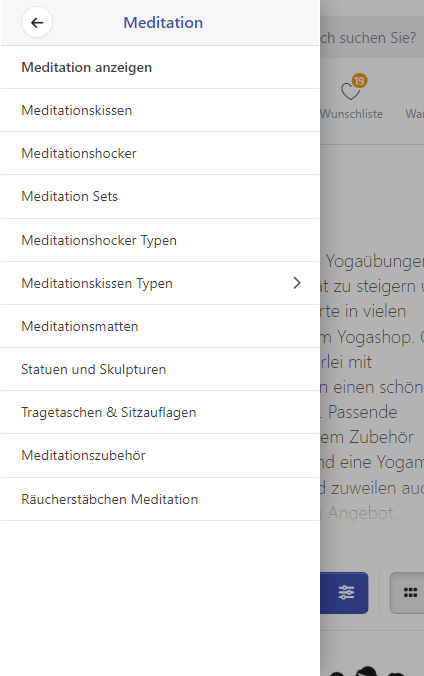
My Account
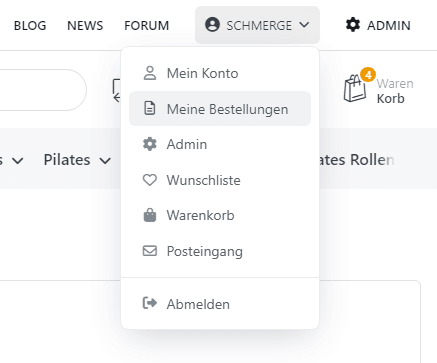
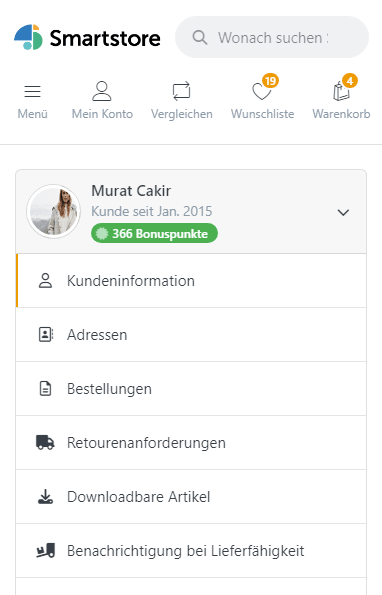
The latest improvements include a new, responsive and expandable My Account menu with additional features that significantly improve the user experience. The menu is not only attractively designed, but also optimized for different screen sizes. It offers a fold-out navigation that is user-friendly and aesthetically pleasing. The menu header now displays the customer's avatar image, name and email address, allowing for a more personalized interaction. In addition, the display of orders in the My Account area has been improved to provide a clearer display and easier access to order information. These updates help to optimize the functionality and design of the My Account area, improving the overall usability of the online store.
Backend
Revised Media Manager for improved image processing
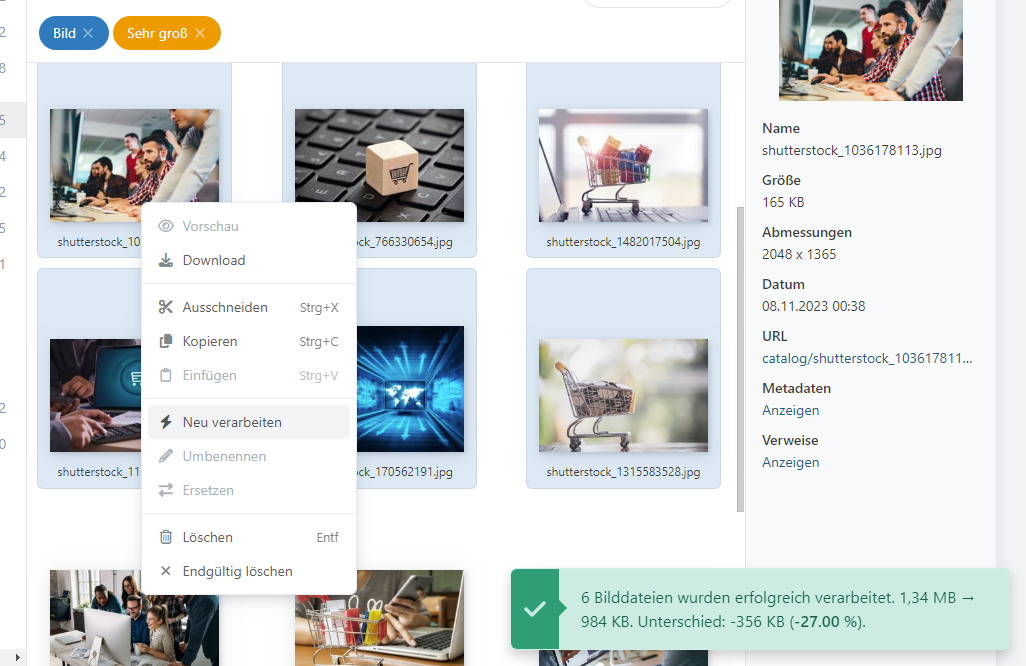
Smartstore presents a revamped Media Manager that enables the reprocessing of image files based on the current media and post-processor settings. This improvement gives you more control over your media files, ensures optimal image quality and faster loading times in your online store. With the improved Media Manager, you can easily manage and optimize your product images to increase the overall visual appeal of your store.
More scalable media service dupe file recognition
Smartstore 5.1 improves the capabilities of media service dupe file recognition, making it more scalable for stores with a large number of media files. With improved duplicate file detection, you can efficiently manage and organize your media library to ensure optimal performance and reduce the risk of duplicates in your store.
Recycle Bin
With the introduction of the recycle bin for products, it is now possible to restore or permanently delete products. This feature provides an additional layer for managing and restoring products in the webshop. The ability to move products to the recycle bin gives store owners the flexibility to restore accidentally deleted products rather than permanently losing them immediately, while also allowing products that are intentionally deleted to be permanently removed from the system. This new functionality helps to make product management more efficient and secure by giving store owners control over the lifecycle of their products.

Currency rounding for precise calculations
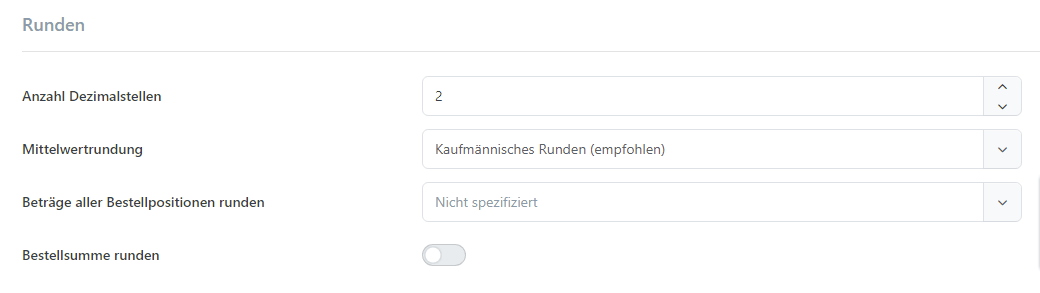
One of the outstanding new features of Smartstore 5.1 is the introduction of currency rounding functionality. This new feature allows for greater precision in currency calculations, ensuring accurate order totals and avoiding rounding discrepancies. Smartstore now offers several rounding options, including rounding in the middle, skipping rounding when displaying net prices and the ability to round the unit price before or after quantity multiplication. With these currency features and settings, you can fine-tune your pricing strategy and provide a seamless shopping experience for your customers.
Customize the look and navigation of your store
Smartstore 5.1 gives you more customization options by introducing the ability to configure allowed characters for usernames. This feature gives you more control over the usernames used by your customers and ensures compliance with your store's naming conventions. Furthermore, the new version allows you to define additional lines for the robots.txt file to gain control over how search engines crawl and index your store content.
Significant theme improvements allow store owners to create a unique and visually appealing store that aligns with their brand identity. The latest version includes a branched and customized Bootstrap framework that combines versions 4.6 and 5.x. By leveraging the power of Bootstrap, you can easily design and customize the layout of your store to ensure a seamless and responsive experience across multiple devices.
Improved frontend experience for customers
With a focus on improving the front-end experience for your customers, Smartstore ensures a seamless and user-friendly shopping journey. The latest version brings several frontend improvements, including new grid breakpoints, revised styling options for the product listing action bar and a revamped offcanvas main menu.
Revised Media Manager for improved image processing
The newly redesigned Media Manager allows you to reprocess image files based on current media and post-processor settings. This improvement gives you more control over your media files, ensuring optimal image quality and faster load times on your online store. With the improved Media Manager, you can effortlessly manage and optimize your product images to increase the overall visual appeal of your store.
Logical CSS for better RTL support
Smartstore 5.1 improves support for right-to-left (RTL) languages by introducing logical CSS. With logical CSS, you can ensure that your store's layout and styling seamlessly adapts to RTL languages to provide a consistent and user-friendly experience for customers who speak languages such as Arabic, Hebrew or Persian.
Improved input groups, button groups and collapsibles
Many improvements to input groups, button groups and collapsibles provide more options for organizing and presenting content in your store. With the improvements to input groups and button groups, you can create visually appealing and interactive forms that allow customers to enter information with ease. Collapsibles enhancements make it easier to show and hide content and improve the overall usability and navigation of your store.
New grid breakpoint for improved responsiveness
Smartstore 5.1 introduces a new grid breakpoint, xxl (1400px), to improve the responsiveness of your store. With this additional breakpoint, your store can easily adapt to larger screens, providing an optimal viewing experience for customers using desktop computers or large displays.
Improved offcanvas main menu and product filters
Smartstore 5.1 introduces a revamped offcanvas main menu that provides better navigation and accessibility for customers. The new Offcanvas main menu improves the discoverability of your store's categories and subcategories, allowing customers to find the products they are looking for more efficiently.
Additionally, the Offcanvas window for the product filter now slides in from the bottom on screens smaller than md. This improvement optimizes the use of screen space and provides a user-friendly interface for customers to filter and sort products on smaller devices.
Revamped image gallery and product tags
The redesigned styling of the image gallery highlights the presentation of your product images and allows customers to immerse and interact with your products in an immersive way. In addition, Smartstore 5.1 brings improvements to the product tags component to optimize navigation and discovery of products based on specific tags. These improvements contribute to a more intuitive and personalized shopping experience that ultimately increases customer satisfaction and boosts conversion rates.
New color picker component with color swatch
A new color picker component with color swatches allows administrators to select colors easily and efficiently. With the addition of color swatches, you can choose from a predefined set of colors or create your own custom palette. This enhancement simplifies the process of customizing your store's theme and brand identity, ensuring a consistent and visually appealing look and feel.

Simplified checkout process and scroll-to-top button
The checkout process has been improved with a redesigned checkout progress indicator. The updated indicator provides customers with a transparent visual representation of their current progress in the checkout process to minimize confusion and improve the overall user experience.
Empowering administrators through enhanced backend functionality
Smartstore 5.1 brings a host of improvements to the backend, providing administrators with increased functionality and a more intuitive user interface. The latest version includes revised configuration settings and improved plugin and provider managers, ensuring a seamless and efficient experience for administrators managing their online stores.
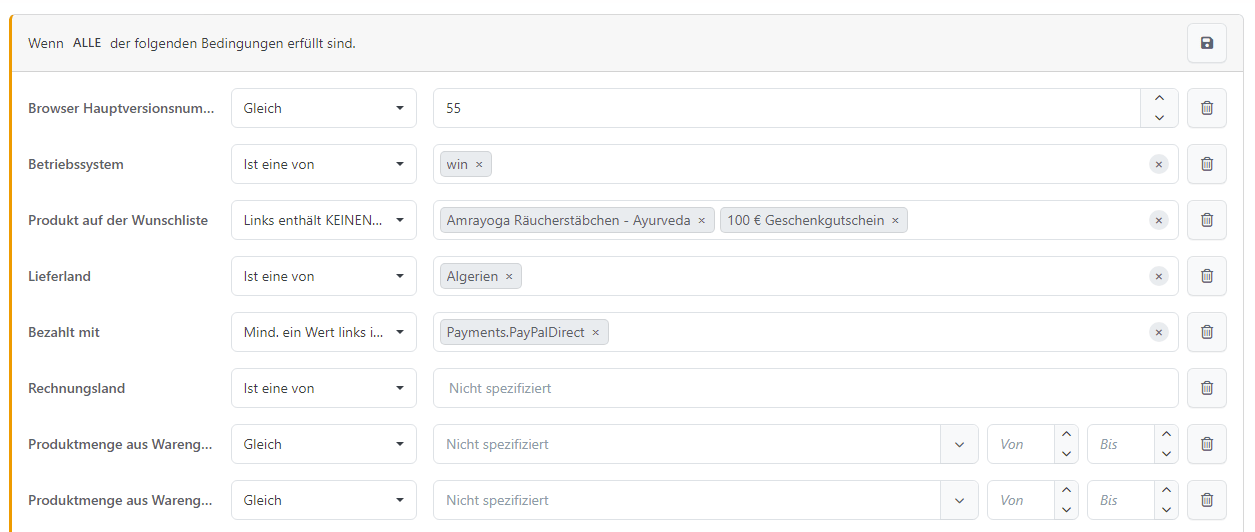
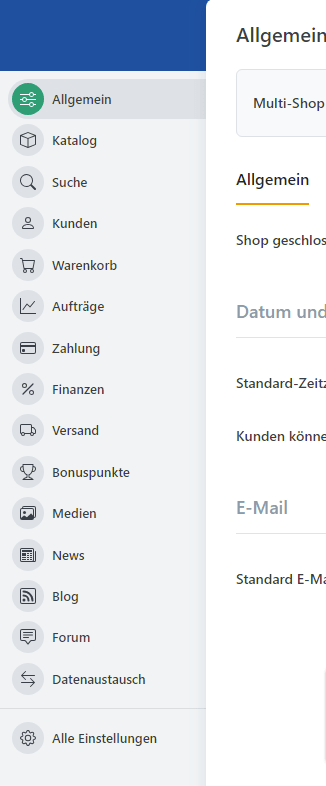
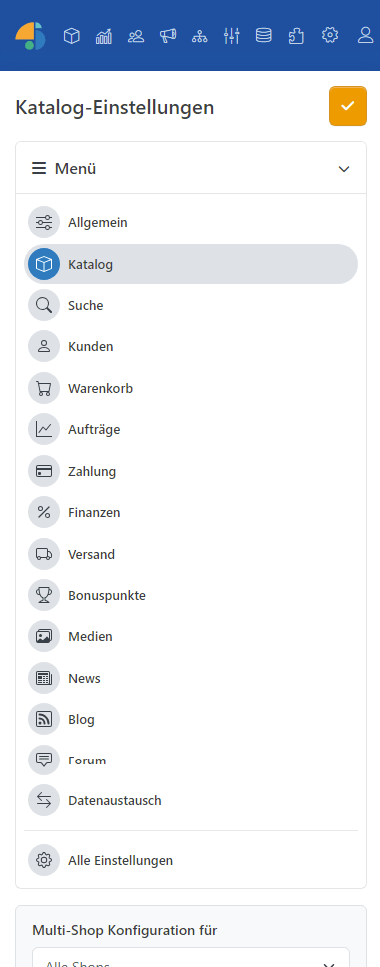
The "Configuration and Settings" section in the backend has been redesigned to make it easier for administrators to manage important store settings. With a responsive and intuitive user interface, administrators can navigate and update settings effortlessly to ensure a smooth and efficient workflow.
Improved plugin and provider managers
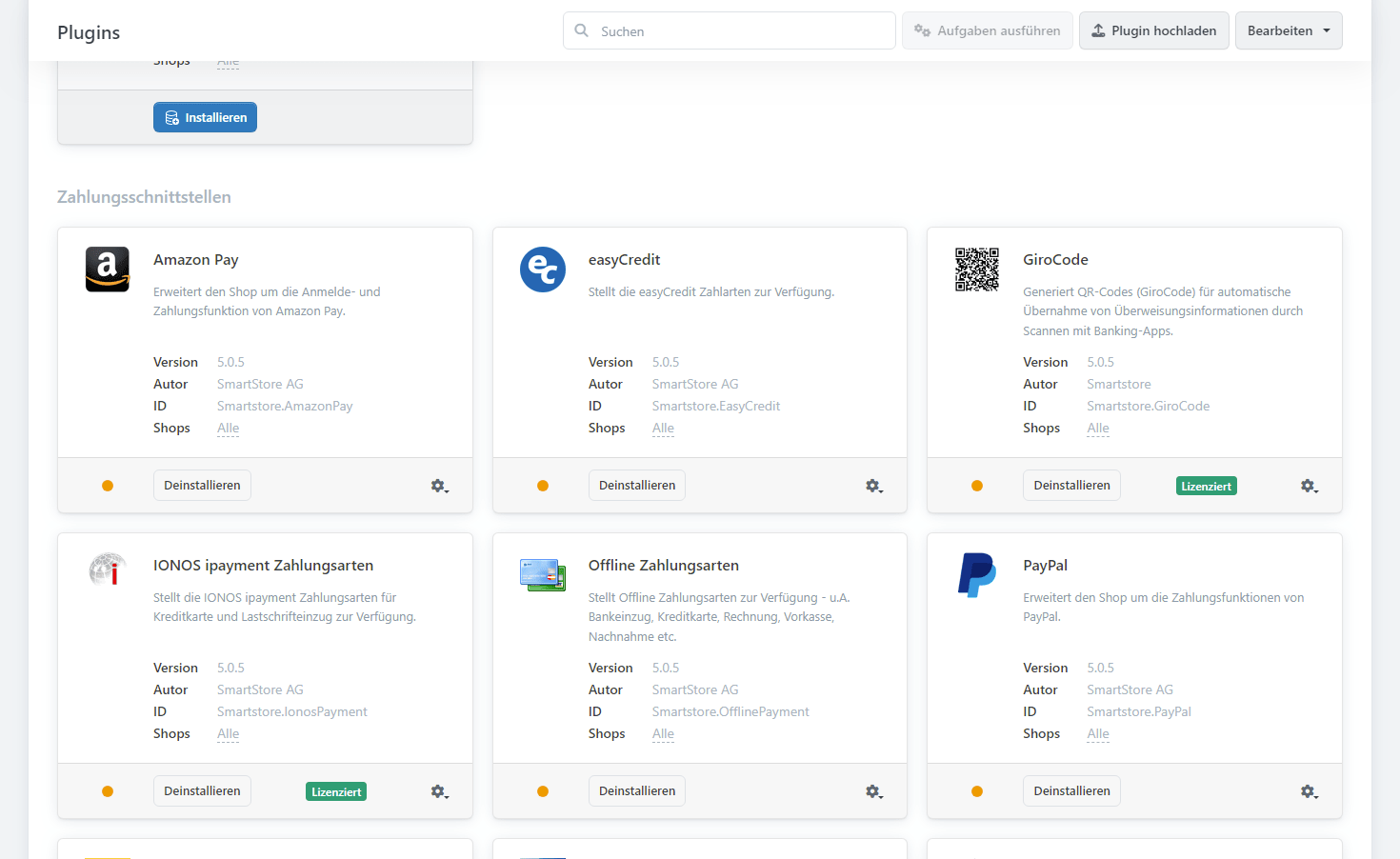
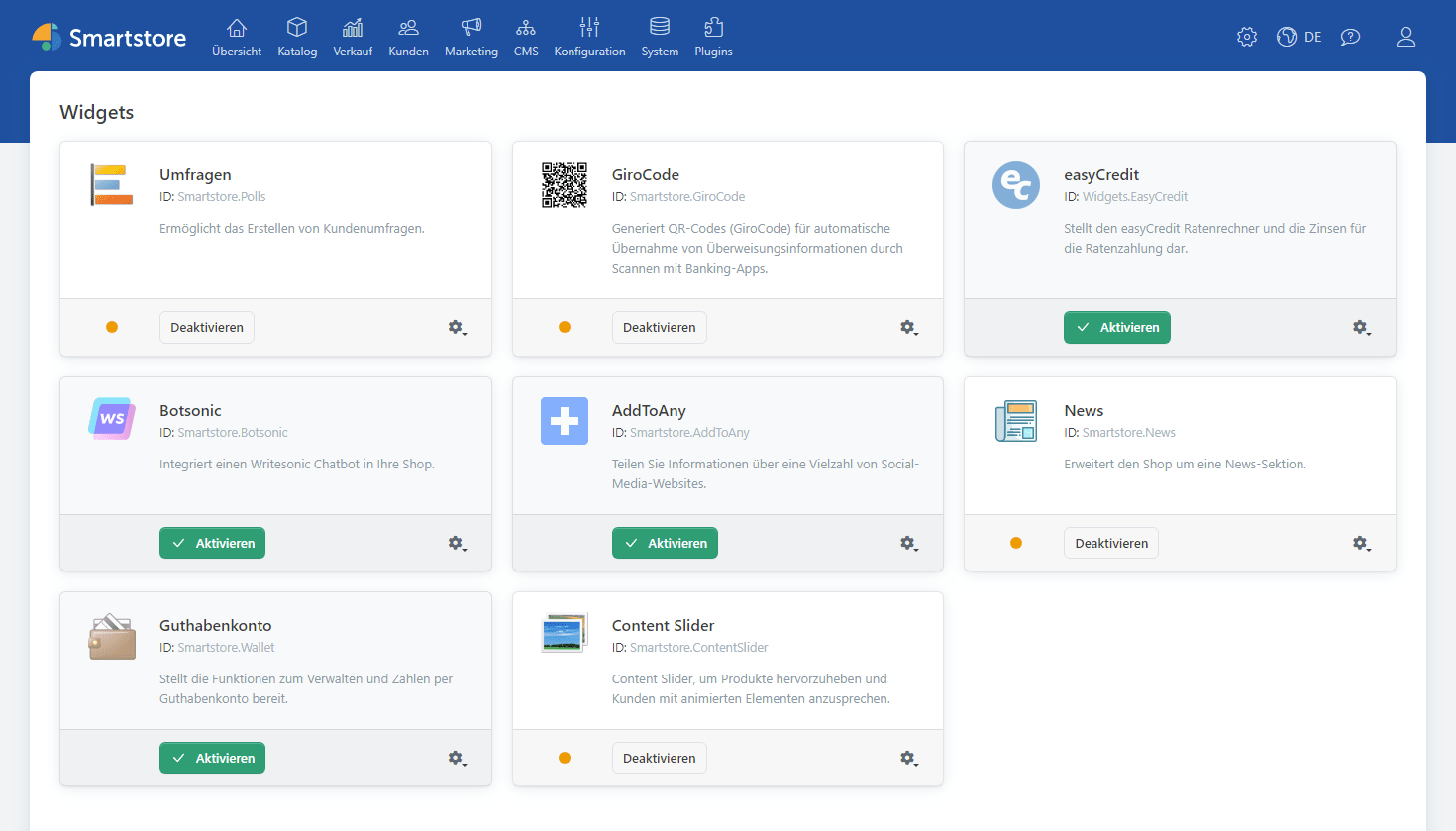
Smartstore showcases improvements to the Plugin and Provider Managers that streamline the process of managing extensions and integrations. The redesigned managers provide administrators with a user-friendly interface for installing, configuring and updating plugins and providers. These improvements simplify the management of your store's functionality and allow for the seamless addition of new features and integrations.
Improved number input styles
On the backend, the styling of number input fields has been improved to provide a more intuitive and user-friendly experience for administrators. The updated styling of number input fields ensures consistency and clarity when entering numeric values, simplifying the process of managing and updating product prices, quantities and other numeric attributes.
Redesigned tab navigation in the Locale Editor
The tabbed navigation in the Locale Editor has been redesigned in Smartstore 5.1 to improve the usability and responsiveness of this important tool. The new tabbed navigation allows administrators to smoothly switch between language translations and ensure efficient localization management for your store. These improvements increase administrator productivity and simplify the process of managing multiple languages.
Performance improvements for optimal store speed
Smartstore 5.1 includes several performance enhancements that increase the speed and efficiency of your online store. From optimized attribute combination searches to improved duplicate file detection in the media service, these improvements ensure a seamless and lightning-fast shopping experience for your customers.
Improved import functionality
Several improvements to the import functionality simplify the process of importing data into your store. With the ability to import cross-sell and checkout-sell products, you can improve your up-sell and cross-sell strategies, increase average order value and boost customer satisfaction. In addition, you can now specify whether closing emails should be sent during the import process to increase control over customer communication.
Configuration / Settings (on mobile devices)
Optimized attribute combination searches
Hash codes for attribute combinations are introduced and mark a significant improvement in the speed of variant identification. This improvement enables more efficient handling of a large number of attribute combinations, ensuring faster search results and smoother product browsing for customers.
Sass variables and easings for fine-tuning customization
Sass variables for all easings are now included in the _easings.scss file. These variables allow fine-tuning for transitions and animations and give you the ability to create engaging and appealing interactions in your store. The expanded variety of Easings grants you increased creative freedom and allows you to design a store that truly reflects your unique brand personality.
Bug fixes for a smooth and error-free experience
In addition to new features and improvements, Smartstore 5.1 includes several bug fixes that improve the stability and reliability of your online store. These fixes address various issues, from price calculation discrepancies to incorrect display of product information. By applying these updates, you can ensure a smooth and error-free shopping experience for your customers.
Conclusion
Smartstore continues to set the standard for e-commerce platforms with its extensive range of new features, improvements and bug fixes. By harnessing the power of the latest version, Smartstore 5.1, you can take your ecommerce business to new heights and provide your customers with a seamless and engaging shopping journey. Update today and unleash the full potential of your online store.
You can find the detailed release notes on our GitHub-page.