

Addressing the Right Audience and Attracting More Customers
An SEO-optimized news plugin allows you to precisely target your audience and attract more potential customers. By providing relevant content tailored to the needs and interests of your audience, you can ensure that your website is found by the right people.
This plugin also provides you with the opportunity to optimize your content for different target audiences. For example, if you operate an online shop, you can use a news plugin to promote your products and services or highlight trends and developments in your industry. Furthermore, you can effectively utilize and integrate your social media channels to attract more customers. By sharing your content on social networks and providing links to your social profiles on your website, you can increase your reach and reach more potential customers.
A News Section in Your Shop Greatly Supports Spreading Your Website and Its Content!
With Smartstore, it's also easy to present multilingual content on your website. This also helps you reach an international audience. By providing your content in different languages, you can improve your visibility in search engines and reach potential customers in different countries. By using language tags and providing translations for your content, you can ensure that your website ranks well in different languages and is found by potential customers.
With Smartstore, your website is also optimized for mobile devices. With the ever-increasing trend of smartphone usage, it's crucial that your website looks good and functions smoothly on these and other devices (such as tablets).
Utilizing Search Engine Rankings for Increased Visibility
You've created a great website, but how can you ensure it's found by potential customers? This is where SEO comes into play. SEO, or Search Engine Optimization, is the process of optimizing your website to make it more visible to search engines. With an effective SEO strategy, you can ensure that your website achieves a higher ranking on search engine results pages (SERPs) and therefore generates more organic traffic.
The visibility of your website is crucial for attracting customers and making your online business successful. If your website is buried on the back pages of search results, there's a slim chance potential customers will find it at all. By applying SEO techniques, you can improve the visibility of your website and ensure it's found by the right people.
By using relevant keywords and metadata, you can optimize your website for search engines!
One of the main benefits of this plugin is the ability to quickly and easily publish new content. By regularly updating your website, you can provide search engines with fresh content and increase your chances of better placement in SERPs.
By providing relevant and engaging content, you can pique the interest of your visitors and encourage them to purchase your products or services. You can provide your visitors with valuable information and keep them informed about news and offers. By tailoring content to the needs and interests of your audience, you can gain the trust of your visitors and encourage them to make purchases.
Another important factor for website visibility and ranking is loading time. With Smartstore 5, we provide the world's fastest shop system with almost unbeatable time-to-first-byte times. A fast-loading website not only improves user experience but is also favored by search engines.
Installation and Configuration
-
To be able to use the features of the news plugin in Smartstore, store owners need to access the navigation menu. Through Plugins > Manage Plugins, users will find the option to Upload Plugin. The plugin can be selected and clicked on Upload & Install to add it to the Plugin List. If it's not displayed there, update the list.
-
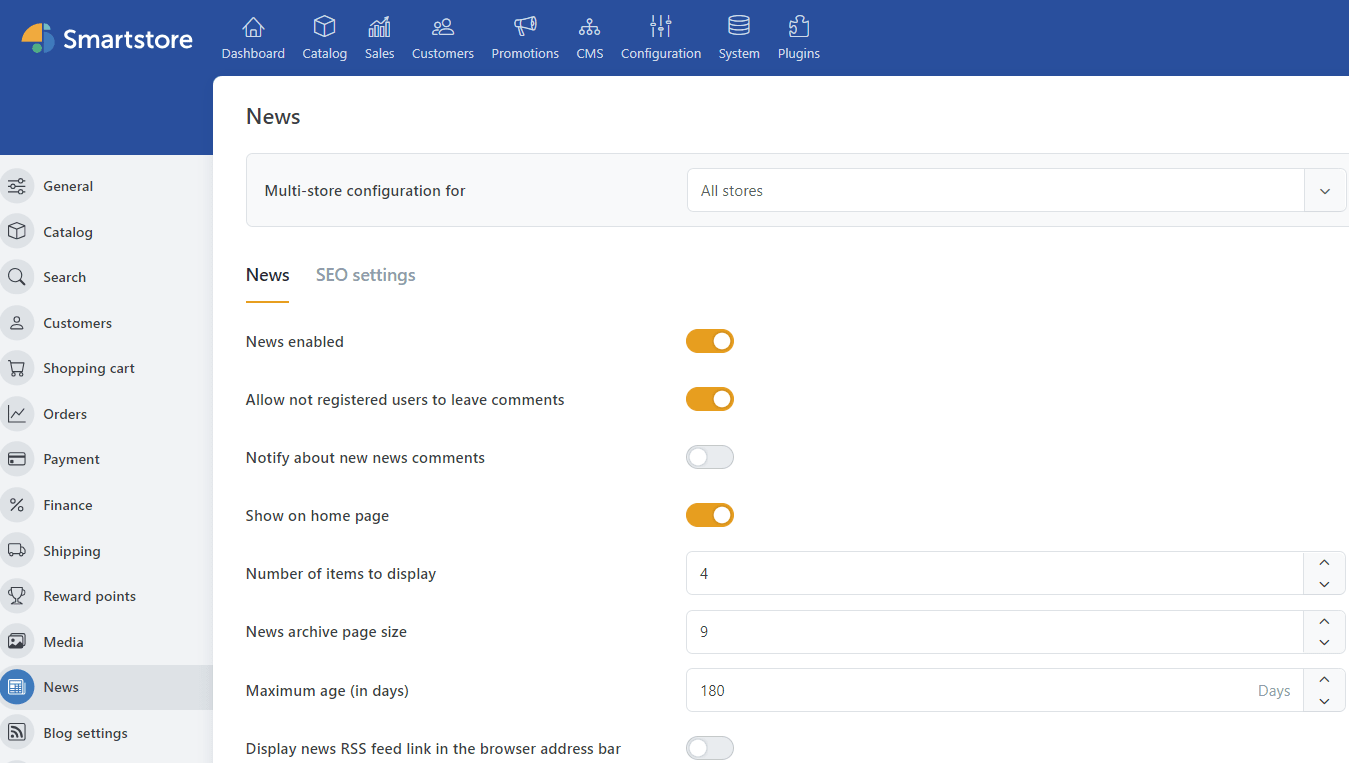
After clicking Install, the news plugin is available in the shop. Under Configuration > Settings, the plugin is listed under News. In this area, store owners can enable or disable the plugin and make further configurations.
-
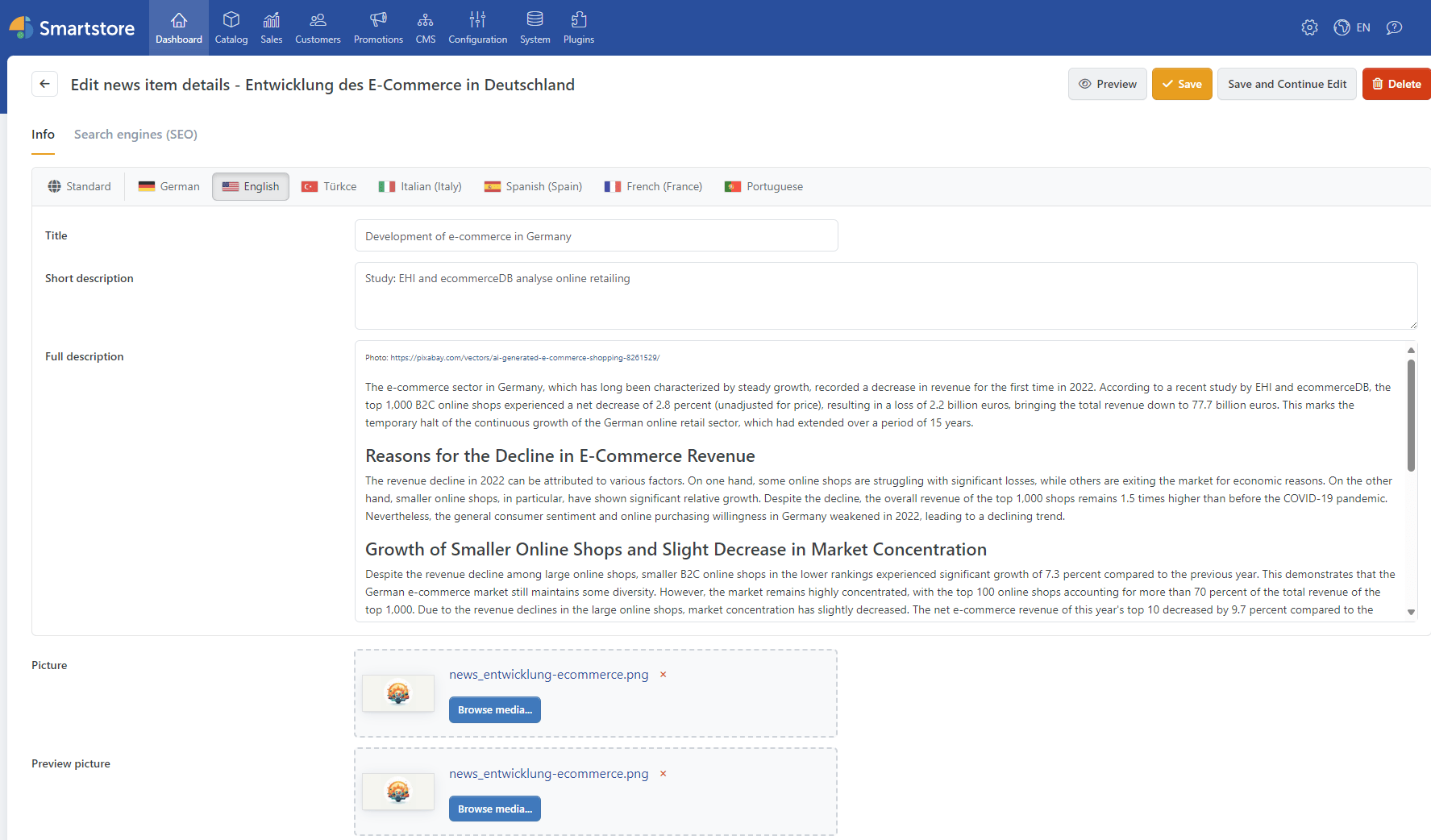
Within the backend, you can now access the News tab via Configuration and News. Here, you can create a new news item via + New. The Title Line serves as the headline and is also evaluated as an h1 tag.
A clean structure of subheadings in the text using h-tags is rewarding for the SEO ranking of your articles!
The Short Text serves as the preview text. This is displayed in the frontend below the news headline and should inform site visitors briefly and succinctly about the content of the news post in one to two sentences. In the Long Text field, you can insert the actual text and enhance it with our HTML editor and other tools to improve readability and SEO optimization.
Both the Preview Image and the Image displayed in the header of the text above the headline can be easily selected and added using the graphics from the Media Manager after successful import.
If you want to reach an even larger and especially international audience and have imported corresponding language resources into your Smartstore, these will appear as a selection at the top of the tab with the respective country flag.
Here, you can either translate and insert everything manually or have all this conveniently done by the Smartstore Online Translator Plugin. The advantage: You only have to set up your shop in one language! After that, the tool takes care of the rest without negatively affecting the code structure.
-
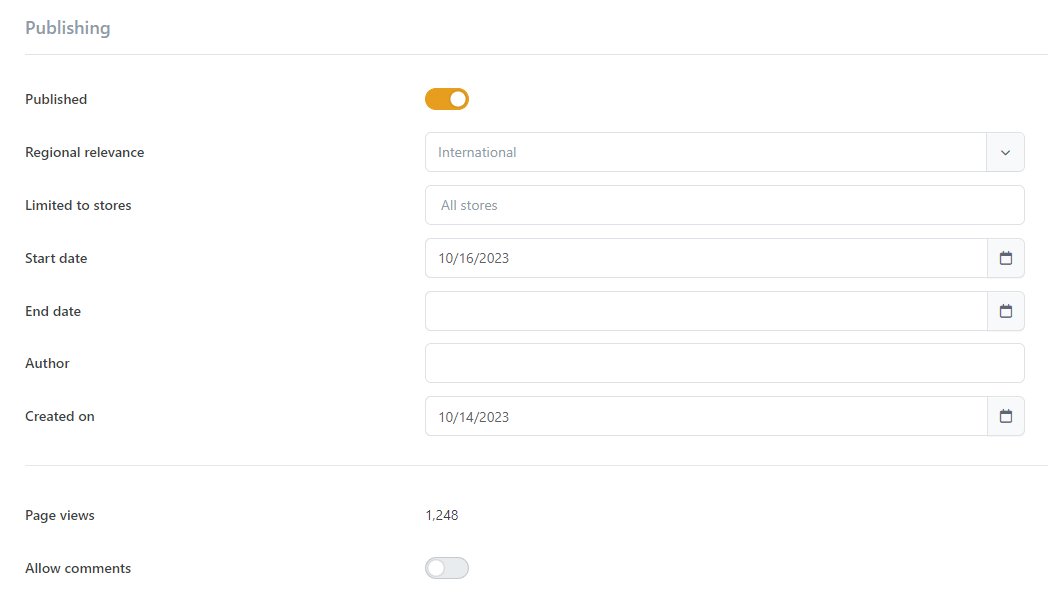
Under the "Publication" section, website operators can set whether and for how long the post should be visible to external visitors in the frontend. If it should be accessible at any time, you can simply leave the "End Date" field unfilled.
Depending on the imported language resources, the display can be restricted to the respective languages. This allows you to better tailor your content to the respective target groups and boost your business.
It's also up to you whether you want to allow comments on your news. For blog posts and news in your online shop, it makes sense to enable this option to promote engagement with your customers and community and to respond directly to any inquiries for all future site visitors to see.
-
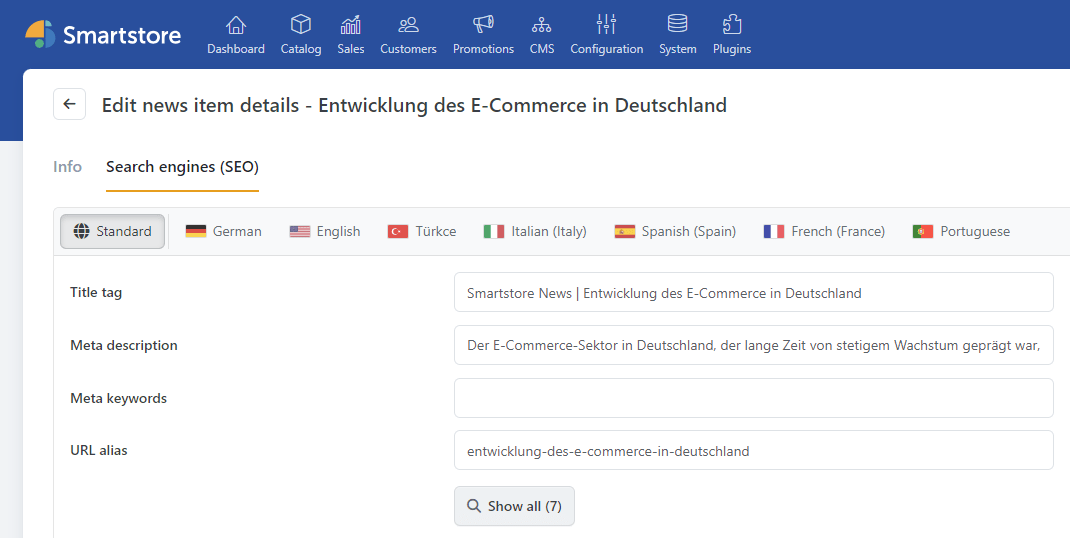
Through the "Search Engines (SEO)" tab, you allow your post to reach an even wider audience and improve its ranking on search engines. The Title Tag is the text that will be displayed to the interested user as a result of the search. The Meta Description serves as the slightly smaller text that acts as further description during the search. With the Meta Keywords, you can give your article an additional boost in terms of SEO by entering relevant keywords for the search.
At this point, the plugin already automatically retrieves important keywords from the text, but you can add your own!
You can freely determine the URL of your article and enter it into the corresponding field. This will then be appended to the URL of your shop with /news/URL-Alias.


Convinced? Then Take Action!
Download the Smartstore News Plugin now via our Smartstore Marketplace and increase the visibility of your website!
If you have further questions about the News Plugin or would like to schedule a live demo, we're here to help. You can reach us via the contact form, by email at info@smartstore.com, or by phone from Monday to Friday between 10 am and 4 pm at +4923153350.
Contact:
Email: info@smartstore.com
Phone: +4923153350
SmartStore AG
Kaiserstraße
63-65
44135 Dortmund